Identify the exact catalog row
Start with the product name, then open the specification selector. A single product may have several vial amounts. The complete SKU identifies the row you want quoted, carries through to the quote form and lets your colleague open the same specification from a shared link.
Record the amount and unit per vial, the vial count per box and the number of boxes you want quoted in separate fields. If two rows share a name but have different amounts, keep both as separate lines in your purchasing list.
| Complete SKU | Per vial | Packaging | Documentation |
|---|---|---|---|
| CU50 | 50 mg | 10 vials per box | Original CU50 PDF |
| CU100 | 100 mg | 10 vials per box | Confirm CU100 documentation |
Read a combination as a single catalog item
For a combination, copy the entire displayed product name and SKU. The name may show individual component amounts while the specification shows the catalog’s per-vial amount for the combined product. Quote the combination using its full SKU. Ask to quote any stand-alone components as separate catalog rows.
The listed combination BPC 157 10mg
Brand imagery helps with identification, but the selected specification table is where you confirm the exact catalog name, vial amount and packaging. Use Link to this specification on the product page when passing the selection to another buyer.
Carry the same selection into the inquiry
Before sending the form, compare the SKU in the message with the selected product row. Leave the amount per vial and boxes on separate lines. If a report matters for your purchase, check the documentation panel for the same SKU and record whether it needs confirmation.
If you are comparing more than one specification, use the wholesale quote list so each selection carries its own SKU and box count.
Related purchasing guides
All purchasing guides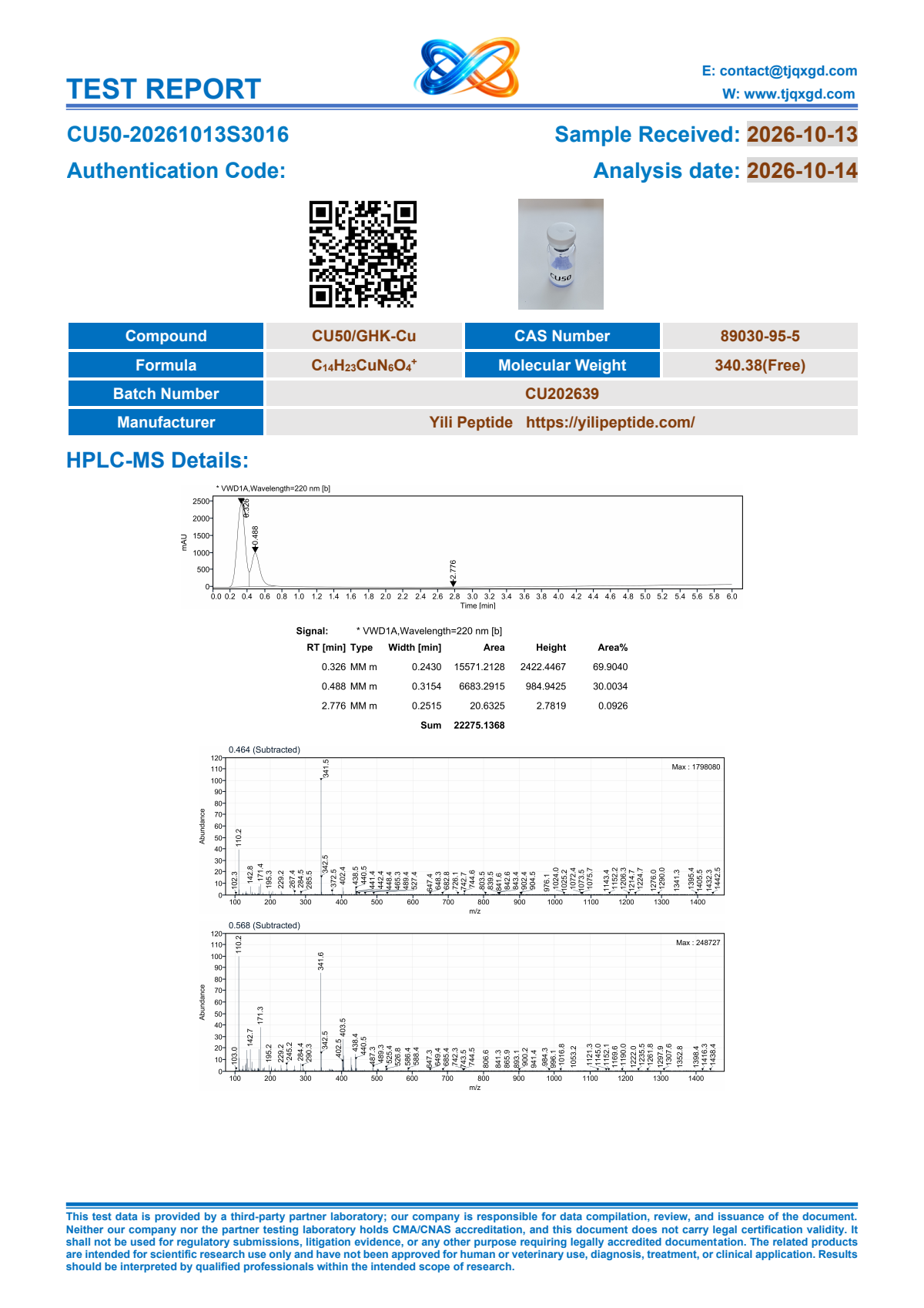
COA and documentation
How to check a Certificate of Analysis
Follow an exact SKU to its original report, identify the tested sample and ask for the right batch documents before committing to a purchase.
Wholesale quotes
How to prepare a mixed-SKU quote request
Organize multiple catalog specifications and box counts in one request, with a worked example and checks for the reply.